I wrote a follow-up blog post to this one with full examples: Automatic SQL Rewriting with ExoQuery MCP: This Actually Works
I need to be honest about AI and ExoQuery: it gets queries wrong. A lot.
Not because the models are stupid. They're not. It's because ExoQuery has a specific syntax that looks almost like other Kotlin query DSLs, but isn't. And "almost" is where AI hallucinates.
I've watched Claude, GPT, and others make the similar mistakes over and over:
Mistake #1: Adding select { } at the end of sql.select
// AI writes this (WRONG)
val query = sql.select {
    val u = from(Table<User>())
    u
    select { it.name }  // ← NO. This doesn't exist.
}

// Correct
val query = sql.select {
    val u = from(Table<User>())
    u.name
}
Mistake #2: Using eq instead of ==
// AI writes this (WRONG)
Table<User>().filter { u -> u.id eq param(userId) }

// Correct
Table<User>().filter { u -> u.id == param(userId) }
This second one is particularly frustrating because using == for equality comparison is the entire point of ExoQuery. It's Language Integrated Query. You write Kotlin. Not some DSL approximation of Kotlin. Actual Kotlin operators.
AI models don't know this because they've been trained on Exposed, JOOQ, and other libraries that do use eq. So they pattern-match to the wrong thing.
The Solution: ExoQuery MCP Server
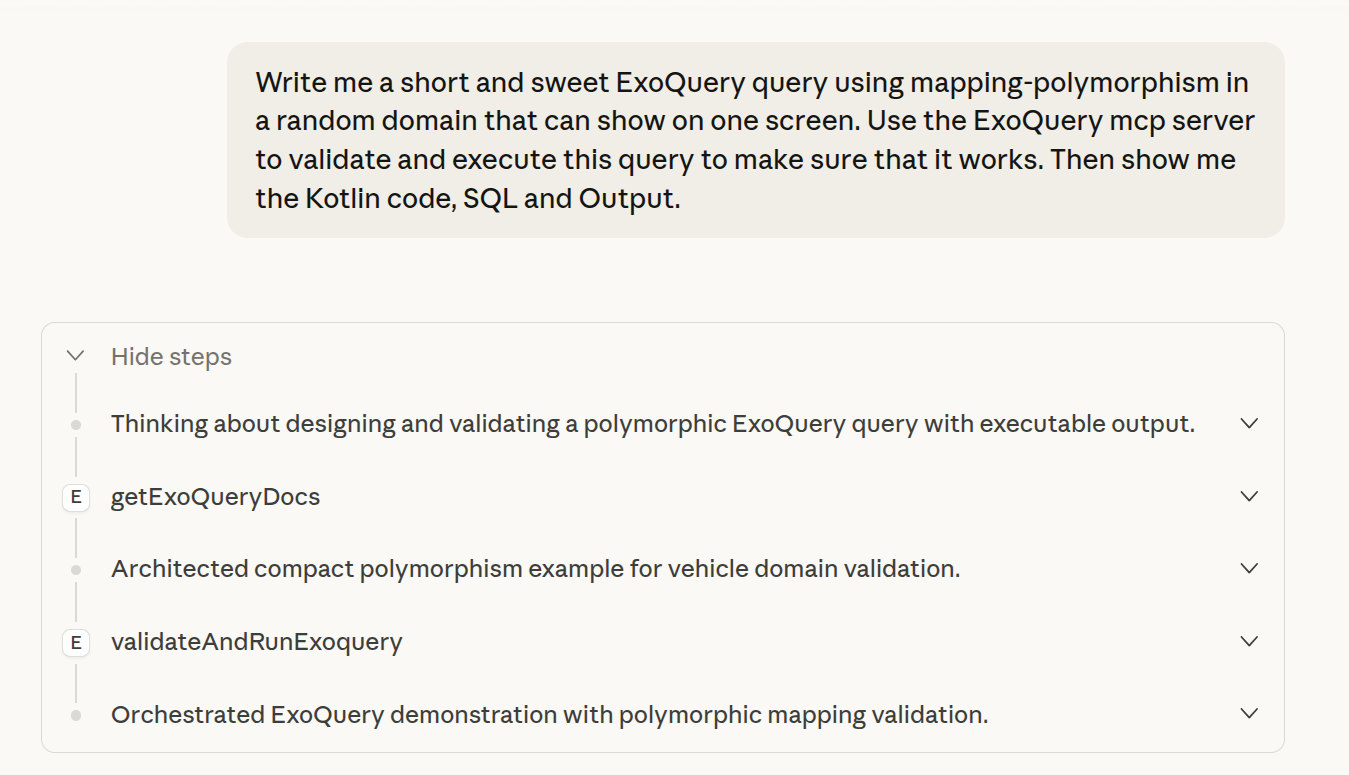
I built an MCP server that validates and executes ExoQuery code against a real compiler and database. When Claude uses it, the query either works or it doesn't. No hallucination survives contact with a compiler.
Here's what happens when you ask Claude to write a polymorphic query with the MCP server enabled:
...and the results:
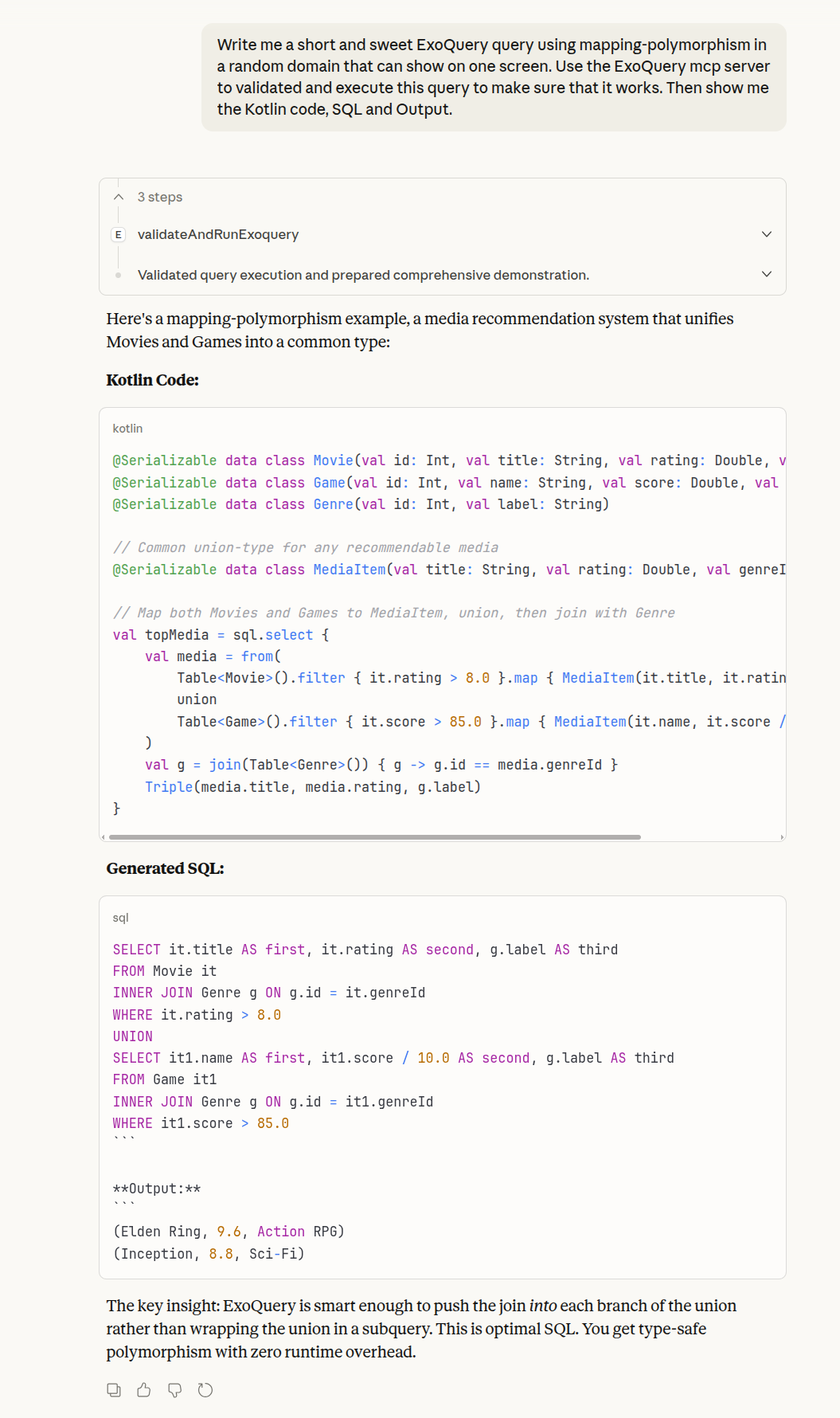
What ExoQuery MCP server just did
Here's a runnable code sample of what the ExoQuery MCP server just did as instructed by Claude:
import io.exoquery.* import kotlinx.serialization.* @Serializable data class Movie(val id: Int, val title: String, val rating: Double, val genreId: Int) @Serializable data class Game(val id: Int, val name: String, val score: Double, val genreId: Int) @Serializable data class Genre(val id: Int, val label: String) //sampleStart // Common union-type for any recommendable media @Serializable data class MediaItem(val title: String, val rating: Double, val genreId: Int) // Map both Movies and Games to MediaItem, union, then join with Genre val topMedia = sql.select { val media = from( Table<Movie>().filter { it.rating > 8.0 }.map { MediaItem(it.title, it.rating, it.genreId) } union Table<Game>().filter { it.score > 85.0 }.map { MediaItem(it.name, it.score / 10.0, it.genreId) } ) val g = join(Table<Genre>()) { g -> g.id == media.genreId } Triple(media.title, media.rating, g.label) } //sampleEnd suspend fun main() = topMedia.buildPrettyFor.Sqlite().runSample()
When Claude runs this via the MCP server, it executes against a real SQLite database with sample data and returns:
(Elden Ring, 9.6, Action RPG)
(Inception, 8.8, Sci-Fi)
This is the critical part: Claude didn't generate that SQL or output. The validateAndRunExoquery endpoint did. It sent the Kotlin code to the ExoQuery playground, compiled it with the actual ExoQuery compiler plugin, executed it against a real SQLite database, and returned the results. Claude just passes through what the compiler and database produce.
That's why it's hallucination-proof. The AI can hallucinate all it wants when writing the Kotlin code. But if that code doesn't compile, the endpoint returns a compiler error with the exact line and column. If it compiles but produces wrong results, you see the actual output. The source of truth is the compiler and database, not the model's training data.
The Four Endpoints
The MCP server exposes four tools:
listExoQueryDocs - Returns a catalog of all available documentation. Claude uses this to find the right docs for your question.
getExoQueryDocs - Retrieves specific documentation by path. When you ask about joins or inserts or JSON columns, Claude reads the actual docs instead of guessing.
validateExoquery - Compiles your ExoQuery code and returns the generated SQL. No execution, just validation. If there's a syntax error, you get the exact line and column.
validateAndRunExoquery - The full pipeline. Compiles the code, spins up an SQLite database with your schema, executes the query, returns the SQL and the results. This is what catches the eq vs == mistakes. The compiler rejects them.
Setting Up Claude Desktop
Add this to your Claude Desktop config (usually ~/Library/Application Support/Claude/claude_desktop_config.json on Mac):
{
  "mcpServers": {
    "exoquery": {
      "command": "npx",
      "args": [
        "-y",
        "mcp-remote",
        "https://backend.exoquery.com/mcp"
      ]
    }
  }
}
Restart Claude Desktop. That's it.
Now when you ask Claude to write ExoQuery code, it validates against the actual compiler. Every time. If the query compiles and runs, you get working code. If it doesn't, Claude sees the error and fixes it.
The ExoQuery MCP server turns AI from a syntax-guessing machine into a validated query generator. Every query compiles, every result comes from a real database, and you get working code on the first try.
Comments